How to Cancel Spotify Premium (Complete Guide)
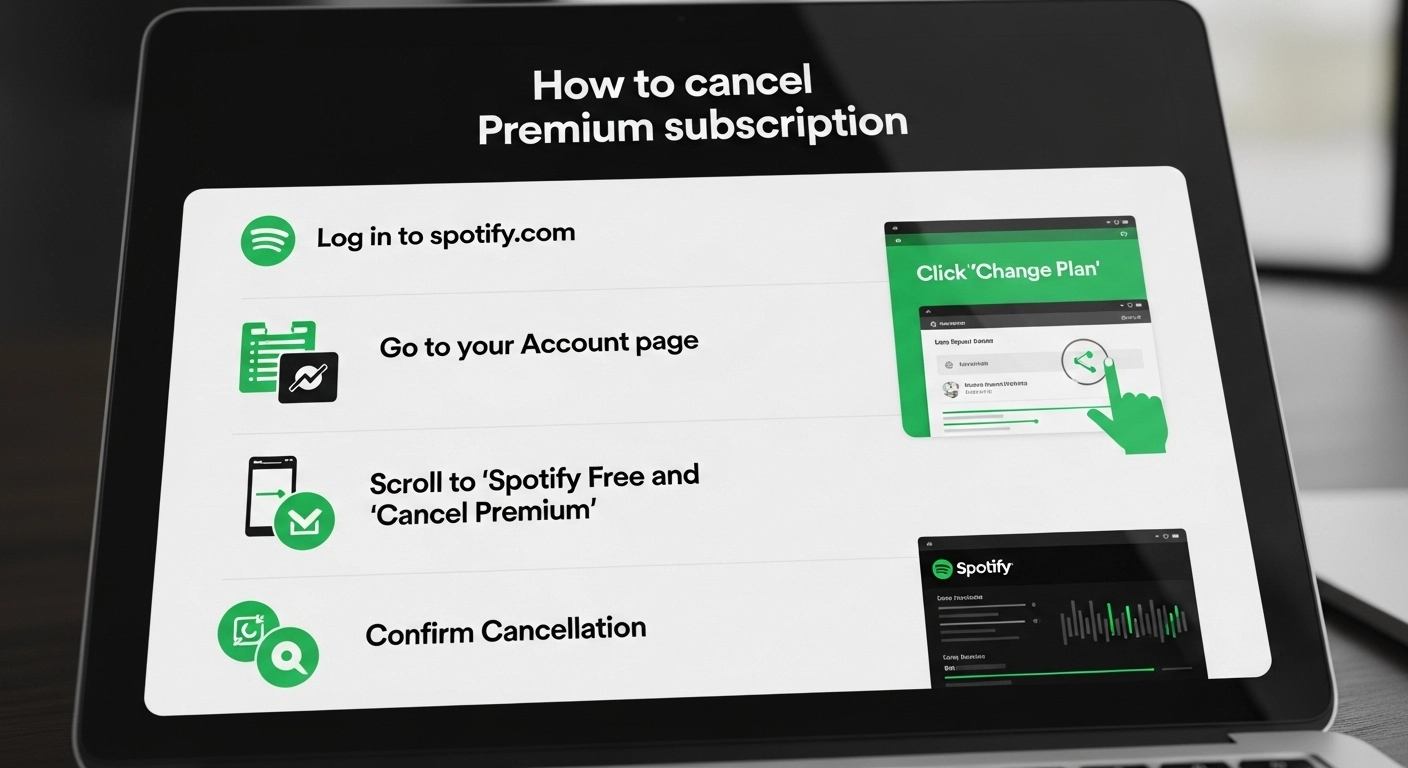
If you are looking for how to cancel Spotify Premium subscription, this guide explains the process clearly and step by step. Many users dont know how to cancel spotify Premium plan due to billing concerns, limited usage, or switching to another music service. Spotify allows cancellation at any time, but the steps depend on where your subscription was started. Below you will find everything you need to cancel your plan correctly and avoid future charges.
H2: How to Cancel Spotify Premium Subscription
If you want to cancel your Spotify Premium subscription, the process depends on whether you subscribed through the Spotify website, a mobile device, or a third-party billing provider. Spotify does not allow cancellation directly from the app in most cases, which often causes confusion for users. Following the correct steps ensures your subscription ends properly and prevents automatic renewal. Below is a clear breakdown for each method.
Step-by-Step Cancellation Process
|
Device or Platform |
Where to Cancel |
|---|---|
|
Spotify Website |
Account page in browser |
|
Android (Google Play) |
Google Play subscriptions |
|
iPhone (Apple ID) |
Apple subscriptions |
|
Desktop App |
Redirects to web account |
|
Mobile App |
View only no cancel option |
How to Cancel Spotify Premium from Web Browser
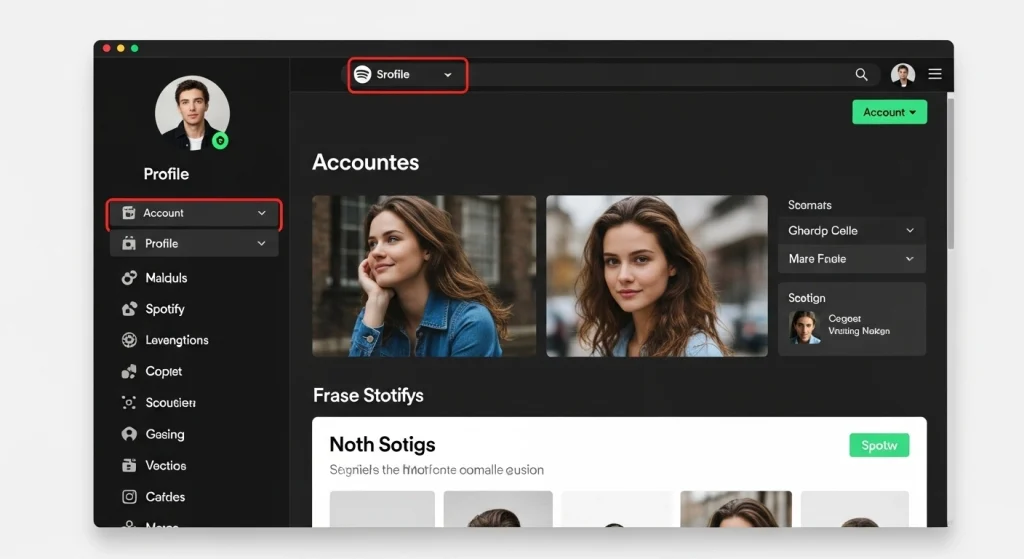
- Log in to your Spotify account using any browser
- Go to Account and open the Subscription section
- Select Cancel Premium under your current plan
- Confirm cancellation when prompted
- You will keep Premium access until the next billing date
This is the most reliable method and works for most users.
How to Cancel Spotify Premium from Mobile
If you subscribed directly through Spotify you must use a browser even on mobile.
Steps
- Open your browser and visit spotify.com/account
- Sign in to your account
- Tap Subscription and choose Cancel Premium
- Confirm your request
If your plan was purchased through an app store you must cancel it there instead.
How to Cancel Spotify Premium from Apple or Google Play
For iPhone users
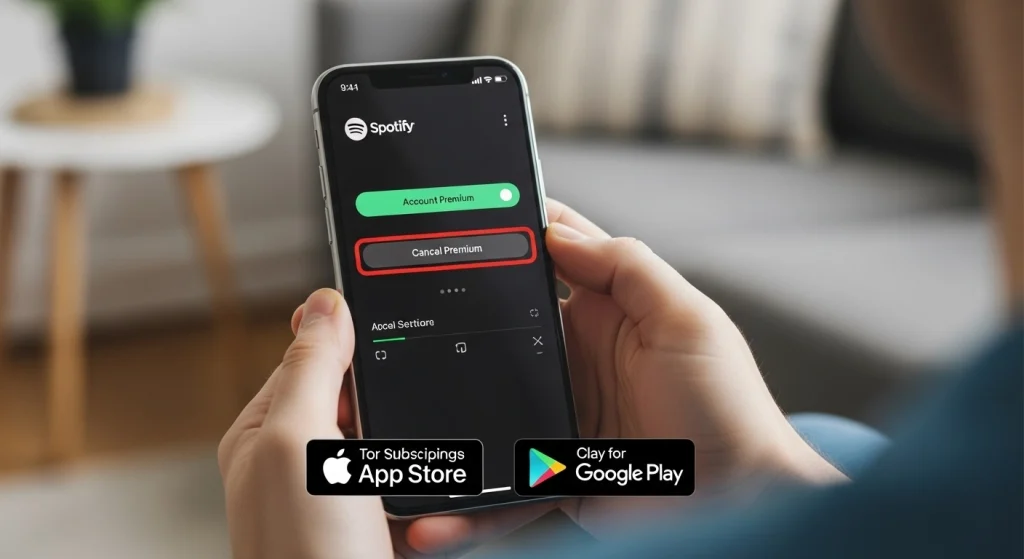
Open Settings then Apple ID then Subscriptions select Spotify and tap Cancel
For Android users
Open Google Play go to Payments and subscriptions choose Spotify and cancel the plan
Once canceled your Premium features remain active until the billing period ends.
How to Cancel Spotify Family or Duo Plan
Canceling a Spotify Family or Duo plan works differently from an individual Premium subscription. Only the plan owner, also called the account manager, has the authority to cancel the subscription. Members added to the plan cannot cancel it on their own, even if they no longer use Spotify. Understanding this difference helps avoid confusion and prevents unexpected renewals.
What Happens to Members
When the Family or Duo plan is canceled by the owner, all members remain on Premium until the end of the current billing cycle. After the plan expires, each member’s account automatically switches to Spotify Free. Playlists, saved songs, and listening history stay intact, but Premium features such as ad-free listening and offline downloads are removed.
Members do not lose their accounts and can upgrade again individually at any time.
Owner vs Member Cancellation
|
Role |
Can Cancel Plan |
What They Can Do |
|
Plan Owner |
Yes |
Cancel subscription manage members update payment |
|
Family Member |
No |
Leave plan or upgrade individually |
|
Duo Member |
No |
Remove self from plan only |
If a member leaves the plan manually, the subscription itself continues unless the owner cancels it. To fully stop billing, the account holder must cancel the plan from their Spotify account page.
Can’t Change or Cancel Your Plan?
If you cannot see the option to change or cancel your Spotify plan, it usually means the subscription was not purchased directly through the Spotify website. Many users assume something is wrong with their account, but in most cases the issue is related to the payment source or the device being used. Checking a few common areas can quickly explain why the cancellation button is missing.
No Option Showing in Account
When the cancel option does not appear, your plan may be billed through Apple, Google Play, a mobile carrier, or a promotional partner. In these cases, Spotify does not control the billing, so the cancellation must be completed through the original provider. Your account page will still show Premium status, but the subscription settings remain locked until canceled externally.
App vs Browser Issue
Spotify does not allow full subscription management inside the mobile app. The app only displays plan details and renewal dates, which often leads users to believe cancellation is unavailable. To access all subscription controls, you must log in through a web browser on mobile or desktop. The browser version shows the complete account and billing section.
Region-Based Subscription Limitations
In some countries, subscription options are managed through local partners or telecom providers. This can limit plan changes or hide cancellation options within the Spotify account itself. If you recently moved to another country, your billing region may also need updating before changes appear. In such cases, contacting the original payment provider is usually the fastest solution.
What Happens After You Cancel Spotify Premium
After you cancel Spotify Premium, your account does not change immediately. Spotify allows you to continue using Premium features until the end of your current billing period. Once that period expires, your subscription automatically ends and your account moves to the free version.
Account Switches to Spotify Free
When Premium expires, your account returns to Spotify Free without any action required from you. Your playlists, saved albums, followed artists, and listening history remain available. You can still stream music, but access to paid features is removed.
Ads and Listening Limitations
On the free plan, ads appear between songs and during listening sessions. You may also experience limited skips, shuffle-only playback on mobile, and reduced control over song selection. These restrictions depend on the device you are using and your region.
Downloaded Music Removal
All offline downloads are automatically removed once Premium ends. Songs and podcasts downloaded for offline listening become unavailable and require an internet connection to play. However, the content stays saved in your library, so you can re-download it anytime if you upgrade again.
Should You Cancel Spotify Premium?
Deciding whether to cancel Spotify Premium depends on how often you use the service and whether the features still match your needs. Some users benefit greatly from Premium, while others find the cost unnecessary over time. Reviewing both advantages and limitations can help you make the right decision.
Pros and Cons of Canceling Spotify Premium
|
Pros |
Cons |
|---|---|
|
Save monthly subscription cost |
Ads during music playback |
|
No recurring billing |
Limited skips on mobile |
|
Flexibility to rejoin anytime |
No offline listening |
|
Access remains until billing ends |
Shuffle only playback in some cases |
When Cancellation Makes Sense
Canceling Spotify Premium may be a good choice if you rarely listen to music, prefer free streaming options, or are trying to reduce monthly expenses. It also makes sense if you mainly listen on desktop, where free features are less restricted. Users who subscribe only for short-term needs often cancel once that purpose is fulfilled.
Alternatives to Consider
Before canceling completely, you may want to explore other options such as switching to a lower-cost plan, joining a Family or Duo subscription, or using free trials from other music streaming platforms. Some users also pause Premium temporarily and return later when usage increases again.
Payments and Billing Information
Understanding how Spotify handles payments can help you avoid unexpected charges and manage your subscription more confidently. Billing details depend on how your plan was purchased and which payment provider is linked to your account. Reviewing your payment settings regularly ensures smoother subscription management.
Manage Payments
You can manage your payment details from the Spotify account page using a web browser. From there, you can view your billing date, update your payment method, and check active subscriptions. If your Premium plan was purchased through a third party, payment management must be handled through that provider instead of Spotify.
Supported Payment Methods
Spotify supports different payment options depending on your country and subscription type.
|
Payment Method |
Availability |
|
Credit or Debit Card |
Most regions |
|
PayPal |
Selected countries |
|
Mobile Carrier Billing |
Limited regions |
|
Apple App Store |
iPhone users |
|
Apple App Store |
iPhone users |
|
Google Play |
Android users |
|
Gift Cards |
Regional availability |
The available options are shown during checkout and may vary based on your location.
Charges and Refund Issues
Spotify typically does not offer refunds for partially used billing periods. If you cancel, your Premium access continues until the next renewal date, after which no further charges are applied. In cases of duplicate charges or unauthorized payments, contacting Spotify support or the payment provider is recommended as soon as possible.
Managing Your Spotify Account
Managing your Spotify account properly helps you stay in control of your subscription, personal settings, and security. Most account changes can only be made through the Spotify website, not the mobile app. Keeping your account information updated ensures smoother access and fewer billing or login issues.
Account Settings
From the account settings page, you can update your email address, change your password, edit personal details, and manage connected devices. This section also allows you to control notifications and privacy preferences. Any changes made here apply across all devices linked to your account.
Subscription Overview
The subscription overview shows your current plan type, renewal date, and billing source. It also indicates whether your Premium plan is active, canceled, or scheduled to expire. Reviewing this section helps confirm that cancellation requests have been processed correctly.
Login and Security Basics
For account security, Spotify recommends using a strong password and logging out of unused devices. If you notice unfamiliar activity, resetting your password immediately can protect your account. Users who signed up through Facebook or Google can manage login settings from those connected platforms as well.
Spotify Premium Plans Overview
Spotify offers several Premium plans designed to match different listening needs and household sizes. Each plan includes core Premium features such as ad-free listening, offline downloads, and better audio quality. The main difference lies in pricing, number of users, and eligibility requirements.
Individual Plan
The Individual plan is designed for one user and provides full Premium access on all supported devices. It is best suited for personal use and offers complete control over playlists, downloads, and playback settings. This plan is the most flexible and does not require sharing with others.
Duo Plan
The Duo plan is intended for two people living at the same address. Each user gets their own separate Premium account while sharing one monthly payment. It includes a shared Duo Mix playlist that updates automatically based on both listeners’ activity.
Family Plan
The Family plan allows up to six members living at the same address to enjoy Premium features. Each member keeps an individual account, while the plan manager controls billing and member access. Spotify may occasionally request address verification to ensure eligibility.
Student Plan
The Student plan offers discounted Premium access for eligible university or college students. Verification is required during signup and must be renewed periodically. This plan includes the same features as the Individual plan but at a reduced cost for a limited time.
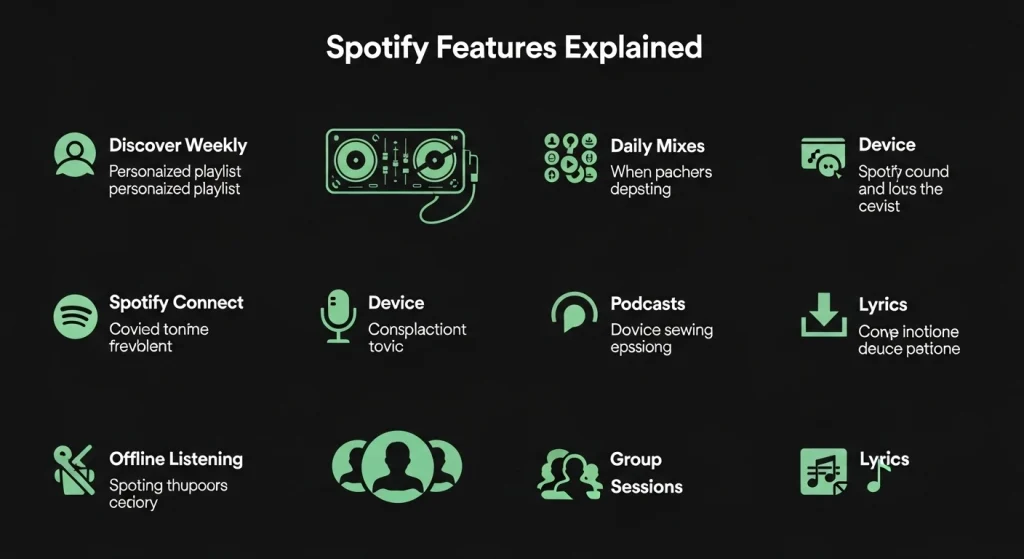
Spotify Features Explained
Spotify Premium includes several features designed to improve listening quality and user control across devices. These features are available as long as the subscription remains active and may vary slightly by region. Understanding how they work helps users decide whether Premium still fits their needs.
In-App Features
Premium users get full control over playback, including unlimited skips, on-demand song selection, and ad-free streaming. The app also offers personalized playlists, smart recommendations, and enhanced audio settings. Features such as queue control and repeat options give listeners more flexibility during playback.
Offline Listening
Offline listening allows users to download music and podcasts directly to their device. This feature is useful for travel, limited data usage, or unstable internet connections. Downloaded content can only be accessed while the subscription is active and requires occasional online verification.
Device Compatibility
Spotify works across a wide range of devices including smartphones, tablets, desktops, smart TVs, gaming consoles, and connected speakers. Premium users can switch playback between devices using Spotify Connect. While multiple devices can be linked to one account, music can only be streamed on one device at a time.
Devices and Troubleshooting
Spotify works across many devices, but playback issues can sometimes appear due to app settings, outdated software, or connection problems. Most device-related issues can be resolved with simple checks before contacting support. Knowing how Spotify behaves on different platforms makes troubleshooting easier.
Mobile
On mobile devices, common issues include playback stopping, downloads not working, or login errors. These problems are often fixed by updating the app, checking internet permissions, or restarting the device. Clearing cache on Android or reinstalling the app can also resolve performance problems.
Desktop
Desktop users may experience login loops, syncing issues, or audio output problems. Ensuring the app is updated and selecting the correct sound device in system settings usually solves these issues. Logging out and back in can also refresh account syncing.
Smart TVs and Speakers
On smart TVs and speakers, Spotify typically connects through WiFi using Spotify Connect. Playback issues often occur due to weak network signals or outdated firmware. Reconnecting the device to the same network and restarting both the app and the device usually restores normal functionality.
Privacy and Data Settings
Spotify provides several privacy and data controls that allow users to manage how information is collected and used. These settings help improve transparency and give users more control over personalization and advertising preferences. Most privacy options can be accessed through the Privacy Settings or Preference Center.
Manage Consent Preferences
Consent preferences allow users to decide how Spotify processes certain types of data. These settings can be updated at any time and may affect recommendations, ads, and content personalization. Changing preferences does not affect basic account functionality.
Strictly Necessary Cookies
These cookies are required for the website to function properly. They support essential actions such as login, security verification, and account navigation. Disabling them may prevent parts of the site from working correctly.
Functional Cookies
Functional cookies remember user choices such as language, region, and interface preferences. They help provide a more consistent experience but are not required for basic site access.
Performance Cookies
Performance cookies collect anonymous usage data to help Spotify understand how features are used. This information is used to improve app performance and identify technical issues.
Targeting Cookies
Targeting cookies are used to deliver more relevant ads and promotional content. They may track interactions across platforms and can be managed through consent settings.
Device Information Storage
Spotify may store limited device information such as operating system, app version, and connection type. This helps ensure compatibility and stable playback across devices.
Content Selection and Delivery
This setting influences how music, playlists, and recommendations are displayed. Data helps tailor content based on listening behavior and preferences.
Data Matching From Other Sources
Spotify may combine data from partners or linked services to improve accuracy in recommendations and advertising. This process follows consent rules and can be adjusted by the user.
Universal Identifier Usage
Universal identifiers help recognize users across sessions and devices. These identifiers support login continuity and consistent personalization.
Safety and Account Privacy
Protecting your Spotify account is important, especially when it is connected to personal data and payment information. Spotify includes built-in security measures, but users also play a key role in keeping their accounts safe. Simple habits can significantly reduce the risk of unauthorized access.
Data Protection
Spotify uses encryption and secure systems to protect user information such as login details and billing data. Personal information is stored according to privacy policies and regional data protection regulations. Users can review and manage their data through account and privacy settings at any time.
Security Best Practices
To improve account security, it is recommended to use a strong and unique password that is not shared with other services. Logging out of unused devices and reviewing connected apps can help prevent unauthorized access. If suspicious activity appears, changing your password immediately is the safest first step.
Need More Help?
If you are still facing issues after canceling or managing your Spotify subscription, additional support options are available. Spotify provides several ways to get assistance depending on the type of problem you are experiencing. Choosing the right support channel can help resolve issues faster.
Support Options
Spotify offers self-help articles, community discussions, and direct support for account and billing issues. Many common problems such as payment errors or subscription changes can be solved through official guides. Community forums are also useful for finding solutions shared by other users.
Contact Methods
Direct contact options may include online forms or live chat depending on your region. Support availability can vary, especially for billing-related concerns. Logging into your account before contacting support helps verify your identity and speeds up the process.
Help Center Navigation
The Spotify Help Center is organized by categories such as subscriptions, payments, account settings, and devices. Using the search bar can quickly lead to relevant articles. Browsing by topic is often the easiest way to find step-by-step instructions for specific issues.
Related Articles and Resources
Exploring related guides can help you better understand your Spotify account and resolve issues more efficiently. These resources are useful if you want deeper explanations beyond subscription cancellation. Linking related topics also makes it easier to manage your account in one place.
Recommended Topics
Subscription help
Guides covering plan changes, renewals, upgrades, and downgrade options to help you manage your Spotify subscription correctly.
Account issues
Articles focused on login problems, profile updates, device management, and security-related concerns.
Payment guides
Resources explaining billing cycles, failed payments, refunds, and supported payment methods across different regions.
Spotify Company Information
Understanding basic information about Spotify helps users know who operates the service and how its policies apply to subscriptions and accounts. This section provides a general overview without going into technical or legal complexity.
About Spotify
Spotify is a global music and audio streaming platform that offers access to songs, podcasts, and digital content across multiple devices. The service operates in many countries and provides both free and paid subscription options. Its goal is to make audio content easily accessible while offering personalized listening experiences.
Policies and Terms
Spotify’s policies and terms outline how accounts, subscriptions, and user data are handled. These documents explain user responsibilities, payment rules, and acceptable use guidelines. Reviewing them can help users understand their rights, especially when managing subscriptions or resolving disputes.
Spotify Community Support
Spotify’s community support platform allows users to connect with others who may have experienced similar issues. It is a helpful space for sharing knowledge, troubleshooting problems, and learning practical solutions beyond official help articles.
Community Discussions
Community discussions cover a wide range of topics including subscription issues, billing questions, app errors, and feature feedback. Users can search existing threads or participate in conversations to find relevant answers. Many common problems are resolved through discussions shared by experienced users.
User Solutions
Helpful solutions are often marked by moderators or verified contributors within the community. These responses provide step-by-step guidance based on real user experience. While community answers are not official support, they can be effective for quick fixes and everyday issues.
Useful Links and Resources
Helpful links and resources make it easier to manage your Spotify account without searching through multiple pages. These references can guide you to official tools, support sections, and account settings when needed. Keeping access to reliable resources helps ensure accurate information and quicker issue resolution.